
Review Your Company Customers
1
Open Companies
Go to Customers → Companies.
2
Choose the scope
Use the store selector to choose a store, or leave it empty for all your stores. The default period is Last 90 days. The fixed choices are Last 30 days, Last 90 days, Last 180 days and Last 365 days.
3
Compare the companies
Review People, Orders, Value, Average order and Last order. Sort the numeric columns to find regular customers or businesses with several bookers. Check the actual order history before treating several individual lunches as one office-catering relationship.
4
Open a company's history
Click the company row. The side panel shows its history, Who books, Usual items, Stores and Recent orders, where available. Click an order code to see the order itself.
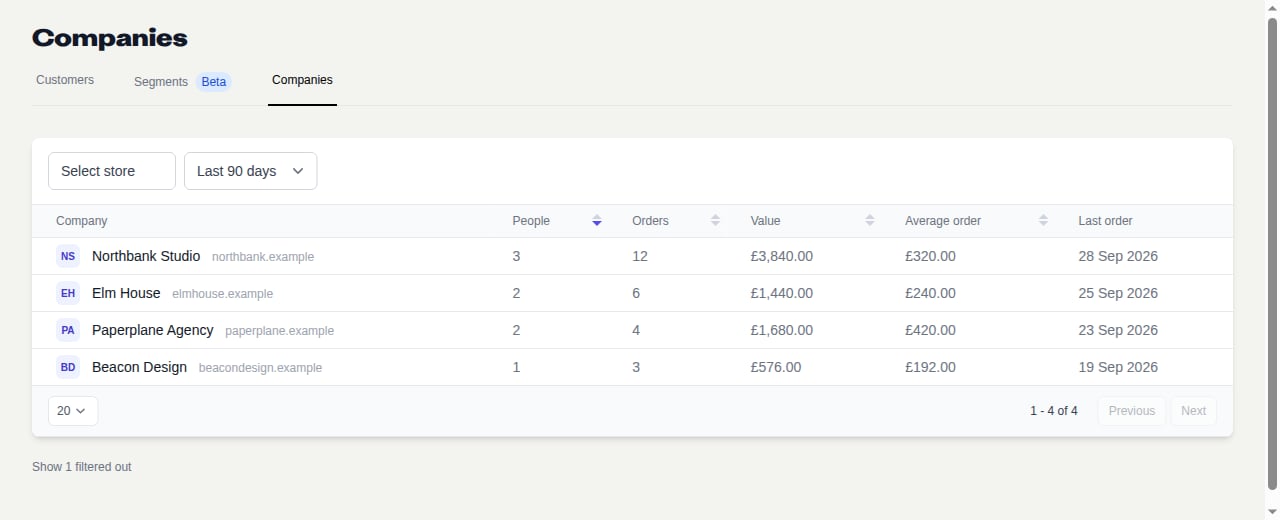
Compare businesses by bookers, orders and spend. Fictional example data in the Companies view.
The side panel’s history is not restricted to the list’s selected store or period. Its lifetime figures cover the stores you can access; the monthly trend and repeat rate use the last 12 months. See Company Fields and Metrics before comparing totals.
Prepare a Relevant Follow-Up
Check who usually books, which items they choose and when they last ordered. Use that context to suggest a useful next booking, rather than sending the same offer to every office.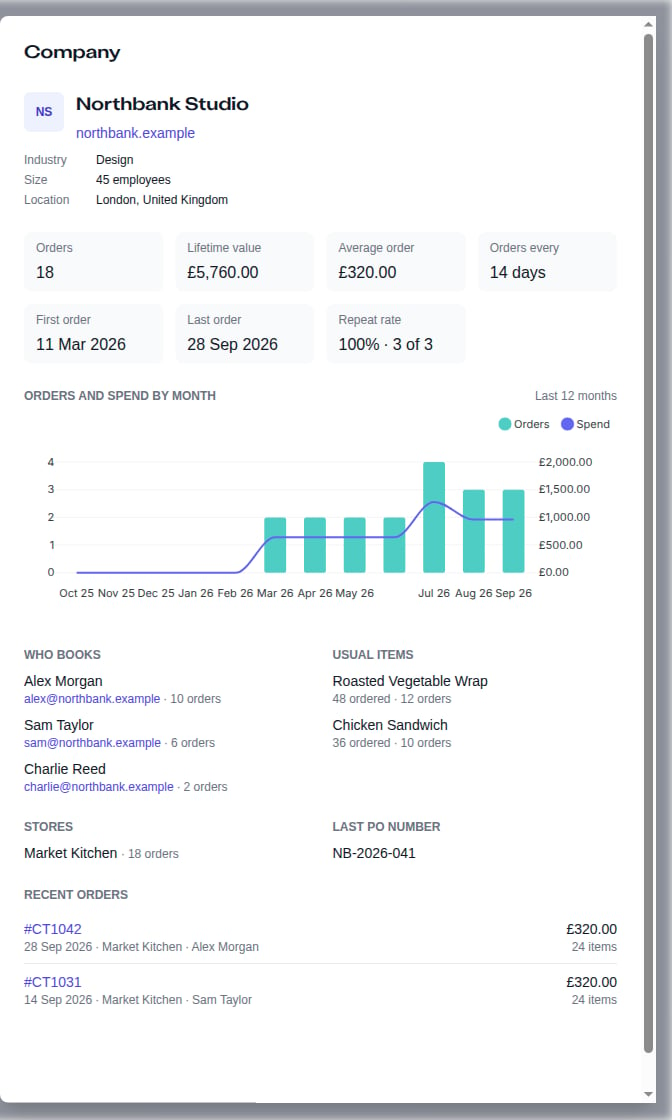
The company side panel brings bookers, usual items and order history together. Fictional example data.