
Run a Sync
There are two places to start a sync. Use either one — both run the same import, so you only need to start it once.- From the settings page: go to Stores → your store → Settings → Integrations → PointOne and click Sync Menu. You’ll see Menu sync started — the import runs in the background.
- From the menu editor: go to Menus and open the menu linked to this store. At the top of the menu you’ll see Connected to PointOne, the time of the last sync and the menu version, and a Sync menu link. Click Sync menu.
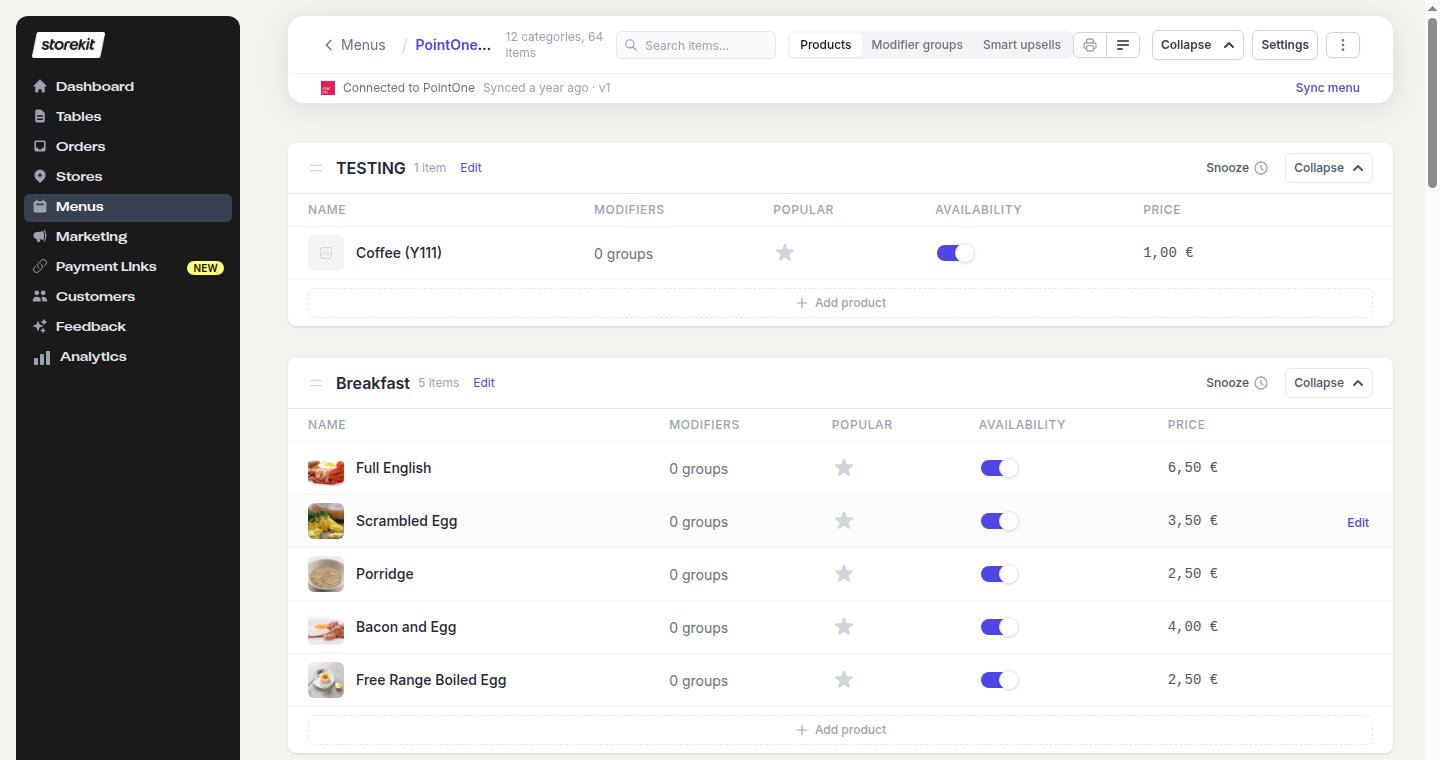
The Connected to PointOne bar in the menu editor
The Connected to PointOne bar only appears when the store’s POS provider is PointOne — that is, once Integration Status is on and saved. Sync Menu on the settings page appears under the same condition.
What Gets Imported
Products are matched between syncs by their PointOne ID (or PLU) and price, so re-syncing updates existing products rather than duplicating them. Anything missing from the PointOne response — a category, product or modifier group — is removed from the storekit menu.
Allergens
storekit recognises these PointOne allergen names: celery, cereals containing gluten (also cereals or gluten), crustaceans, eggs, fish, lupin, milk (also dairy), molluscs, mustard, nuts, peanuts, sesame, soybeans (also soya), and sulphur dioxide (also sulphur or sulphites). Any other allergen label is ignored.Nutrition
Fat, saturated fat, salt (or sodium), carbohydrates, sugars, fibre, protein and energy (kcal) are imported when PointOne supplies them.Limitations
- Nested modifiers, portions and sizes are not imported.
- Stock is read once per sync. An item that sells out in PointOne stays orderable in storekit until the next sync or until you snooze it — see Availability & Snoozing.
- Edits you make in storekit to a synced product’s name, description, price or image are overwritten on the next sync. Make menu changes in PointOne.
- Products need a name and a price above zero, and a PointOne ID or PLU, to be imported. Categories with no importable products are skipped.
Next Steps
Orders
How synced products are sent back to PointOne on an order
Troubleshooting
Missing products, images that didn’t import, and sync failures