
Connecting PointOne
Enter your API Key, Site ID and Organisation ID, then turn the integration on
Menu Sync
Import your PointOne menu and understand what comes across
Orders
How orders reach PointOne, order types, notes, pre-orders and failures
Pay at Table
Let guests pay their PointOne bill from their phone
Troubleshooting
Fix connection, menu, order and pay-at-table problems
How the Connection Works
PointOne connects with API credentials rather than a login flow. Your PointOne account manager gives you an API Key, a Site ID and an Organisation ID; you enter them on Stores → your store → Settings → Integrations → PointOne, click Save, then switch Integration Status on. storekit uses those credentials to read your PointOne menu, submit orders to the site, and look up and pay table bills. One storekit store connects to one PointOne site. For multi-site setups, connect each store to its own Site ID.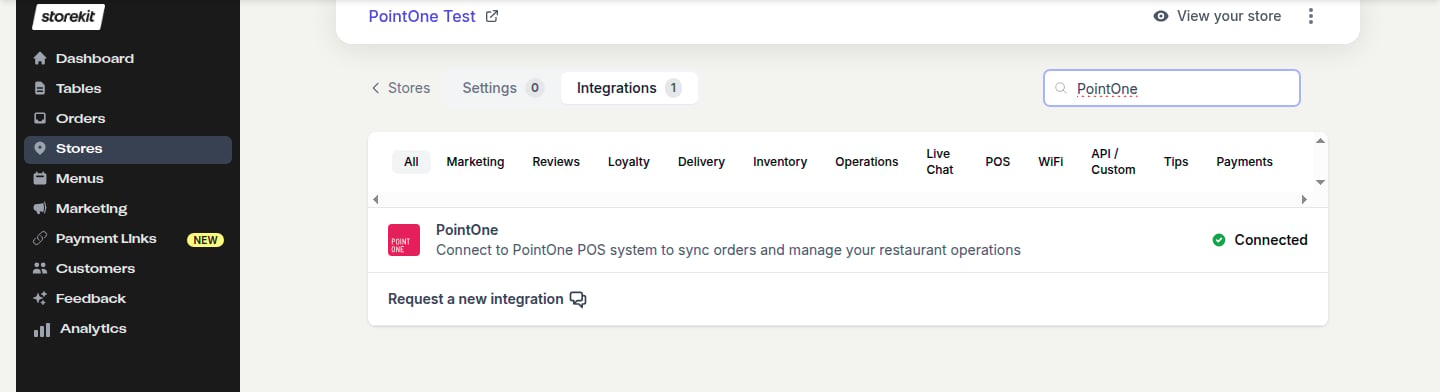
The PointOne integration in the Integrations list once connected
The PointOne integration is only available to accounts that have it enabled. If you don’t see PointOne in your Integrations list, contact storekit support to have it turned on.
How Orders Flow to PointOne
Supported Features
Orders
Orders
Pay at Table
Pay at Table
Store Setup
Store Setup
Related Guides
POS Integrations Overview
Compare PointOne with storekit’s other POS integrations
Order Injection
How order injection works across POS providers
POS Menu Sync
General menu-sync behaviour and limits
Pay at Table
How pay-at-table works across storekit