
Print the Day’s Timeline
1
Choose the stores and date
Go to Orders → Catering. Choose the stores in the selector, then find the date you are preparing for.
2
Open the run sheet
Click Run sheet beside that date. It opens a printable page for that day and the selected stores.
3
Review the flags
Check the conflict summary above the table and the Flags column. Resolve missing courier bookings and check the timing of pickups before handing the sheet to dispatch.See the flag definitions →
4
Print the sheet
Click Print to open your browser’s print dialogue. Choose your printer, or save a PDF if your browser offers that option. Use Back to catering to return to the lookahead.
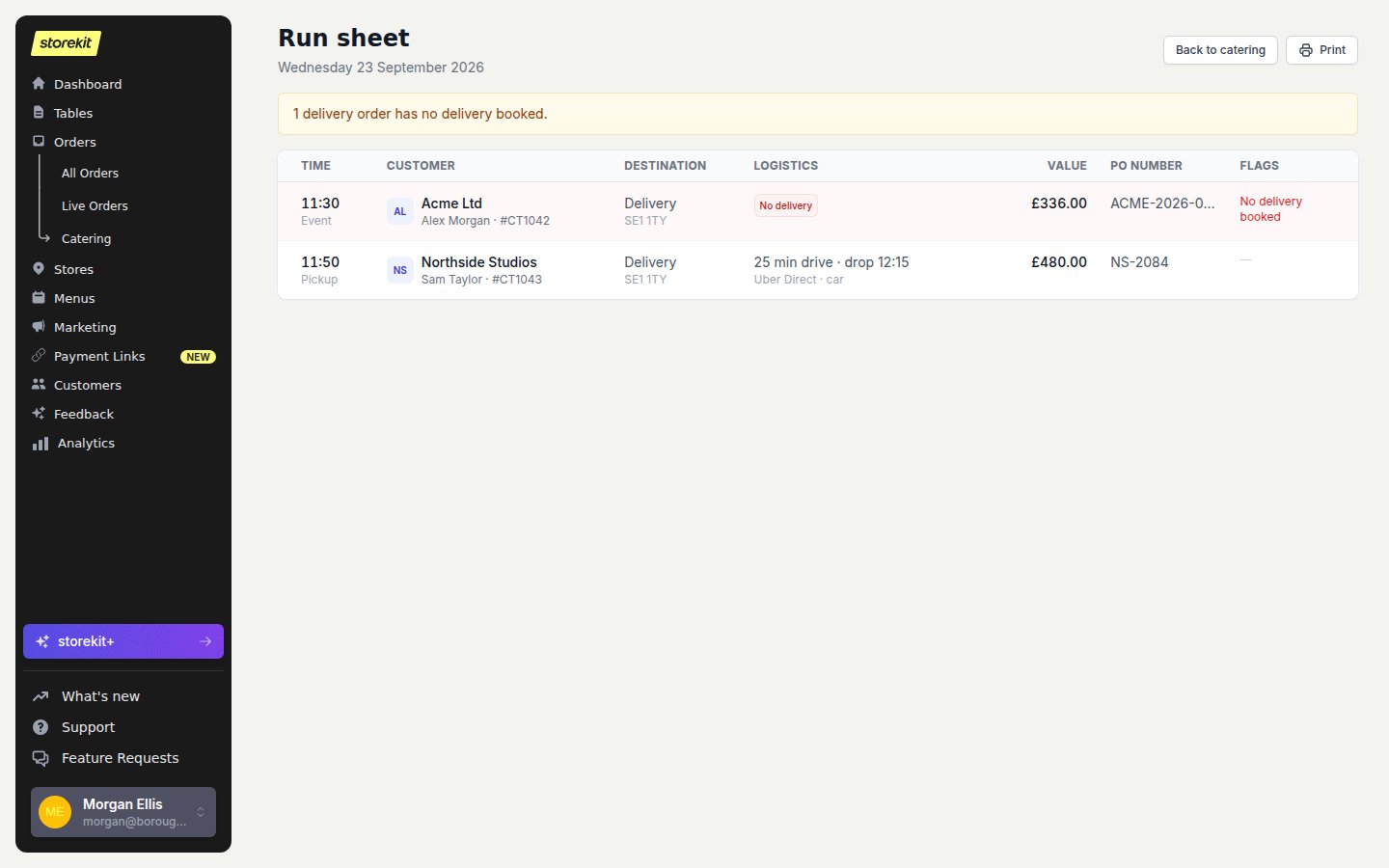
A run sheet keeps destinations and logistics together, with exceptions in the Flags column. Example data.
Next
- Print Pack Lists for the packing team.
- Print a Prep Sheet for kitchen totals.